_environment.required
FLICKR_API_KEY=This is the typical Hello World! post in my new and wonderful blog. Welcome!
So this is basically here to test if the whole thing works.
To get started I first installed quarto.1
Then, once I decided how to name my blog, I ran:
quarto create project blog oecosystematis-mundi I took a look at my other blog, copied files, added files, changed configurations, started to prepare the content and structure of my initial posts, modified the text in the qmd files and the configuration in the _quarto.yml.
I started to keep track of changes with git:2
cd oecosystematis-mundi
git init
I switch between VS-code, Rstudio and the terminal to organise my files, and kept working on this until I got something I wanted to preview:
quarto preview oecosystematis-mundiBelow some random notes about the process.
For some reason I though these would fontsawesome icons, but the help prompt in VS-code pointed out:
Name of bootstrap icon (e.g. github, twitter, share). See https://icons.getbootstrap.com/ for a list of available icons
Also, it turns out we can add emojis to the text of a post using this in the front-matter of the file:
---
title: "My Document"
from: markdown+emoji
---
This is a handy demonstration of all emojis: https://gist.github.com/rxaviers/7360908
The posts directory has a _metadata.yml file with the freeze option activated by default.
_site folderIn the quarto documentation they recommend to add it to the .gitignore file, so as to keep the raw content and code in version control, but the output served in a different workflow (either with quarto.pub or GitHub actions).
There are certain environment variables that need to be specified in order to render the posts in this blog. I created an _environment.required file with the list of required variables and empty values.
_environment.required
FLICKR_API_KEY=For local development, I defined these variables in the _environment.local file and ignore this file in version control by adding /_*.local in .gitignore.
In order to use some external photos in my blog posts I create a table with the basic information from my photo collection in Flickr. I need to add this code-chunk in my post to locate and load the file:
```{r}
#| message: false
here::i_am("posts/welcome.qmd")
data_dir <- here::here("Rdata")
file_name <- here::here(data_dir, "flickr-photos.rds")
photos <- readRDS(file = file_name)
```
And these lines to create the markdown code to include in my blog post (notice the results option):
```{r}
#| results: asis
selected_photo <- dplyr::slice(photos, grep("invierno en Hluhluwe", title))
photo_md <- sprintf(
"{.preview-image .lightbox}",
selected_photo$title,
selected_photo$ownername,
selected_photo$url_m
)
cat(photo_md)
```
I add the class preview-image to select which foto will appear in the listing page of posts.
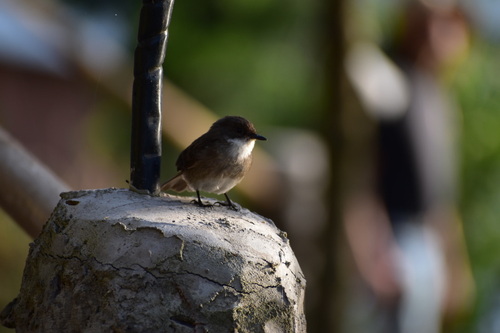
Since I also have a bunch of observations in iNaturalist, I can use those as another source of images to illustrate my blog. I need to add this code-chunk in my post to locate and load the file:
```{r}
#| message: false
here::i_am("posts/welcome.qmd")
data_dir <- here::here("Rdata")
file_name <- here::here("Rdata","iNaturalist-obs-NeoMapas.rds")
user_obs <- readRDS(file=file_name)
```
And these lines to create the markdown code to include in my blog post (notice the results option):
```{r}
#| results: asis
selected_photo <- user_obs |> dplyr::slice_sample(n=1)
photo_md <- sprintf(
"](%s){height=150 group=\"my-gallery\"}",
selected_photo$species_guess,
selected_photo$place_guess,
selected_photo$user_login,
selected_photo$url,
selected_photo$image_url
)
cat(photo_md)
```
I keep some random images in the thesaurus folder and use exiftool and imagemagick to add/edit information and to make copies for my blog post.
Examples:
cd thesaurus

exiftool -Comment='Compartida por Alejandra Melfo. Tomada del libro de Christian Anton Goering, Von Tropischen Tieflande zum Ewigen Schnee (De las Tierras Bajas Tropicales a las Nieves Eternas), 1893' IMG_8346.jpeg

exiftool -s3 -comment IMG_8346.jpeg

convert thesaurus/IMG_8346.jpeg -resize 300x300 posts/T6.1-tropical-glaciers/Goering-book.jpg I created an empty repo in GitHub and then added it as a remote:
git remote add origin git@github.com:{...}/{...}.git
git branch -M dont-panic
git push -u origin dont-panic
Now the source code and git history is available at: https://github.com/jrfep/oecosystematis-mundi
I am preparing this site for my quarto.pub profile. From the directory where this project is located, I executed the quarto publish command for Quarto Pub:
quarto publish quarto-pubAnd then followed instructions at quarto.org.
Easy!